
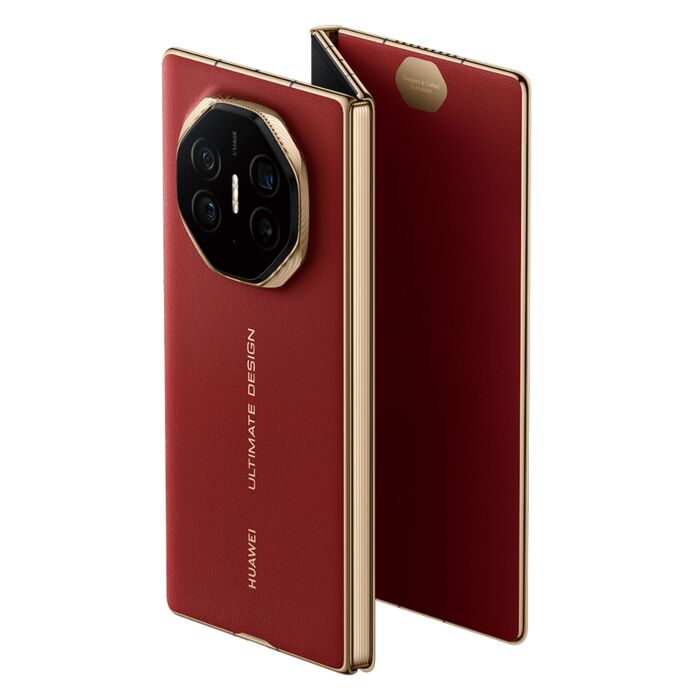
Huawei Mate XT’s Tri-Fold: Remember when we thought the original Galaxy Fold was too bulky? But in retrospect, that “inner screen” revolution feels like a lifetime ago. Now the tech world is faced with a new fork in the road: the classic Book-Fold versus the bold new Tri-Fold. The Huawei Mate XT is making headlines, and we’re hearing rumours of a Samsung Z Tri-Fold. The question is no longer just who has the coolest hinge. It’s about whether we’re really doing more work, or whether we’re just schlepping a very expensive, very fragile accordion in our pocket.
Real Estate: When 8 Inches Isn’t Enough
First, let’s talk about the “Book-Fold” form factor, which we’ve come to love with devices such as the Z Fold 6 or the Pixel Fold.
- Standard Size: These gadgets generally feature an inner display of about 7.6 to 8 inches, ideal for reading or using side-by-side apps.
- The Limitation: But have you ever tried to truly multitask on an 8-inch 6:5 aspect ratio screen? It’s close. You’re always resizing windows. And half the time the keyboard is taking up half the visible workspace.
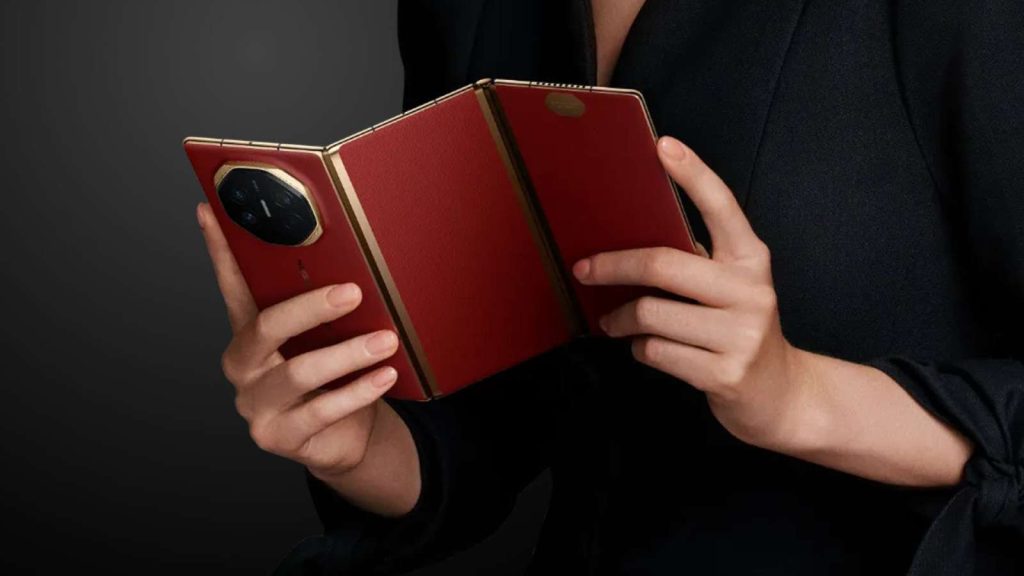
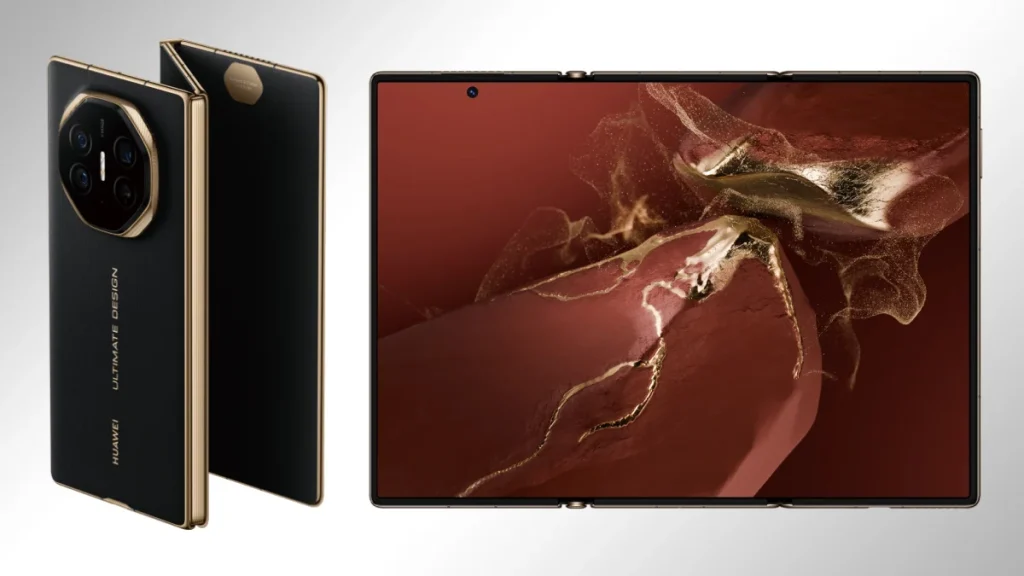
Enter the Tri-Fold. Devices like the Huawei Mate XT get a huge 10.2-inch canvas with the addition of a second hinge and a third panel.
- Real Tablet Utility: No longer a “big phone,” this is a real tablet where you aren’t scrolling horizontally all the time to see your spreadsheets.
- Workflow Mastery: One third of the screen can be a Zoom call, one third a note-taking app and one third a reference web browser. For the mobile professional, those last two inches make the difference between “managing” and “mastering” a workflow on the go. It turns the device from a media consumption tool into a real workstation.
The Pocket Tax: Weight and Thickness
But this is where the honeymoon phase usually ends. And physics is a cruel mistress. Every hinge you add, every layer of glass you add adds weight and adds thickness.
- Book-Fold Comfort: The modern Book-Fold finally feels like a normal phone when closed. It’s slim, relatively light and fits in skinny jeans without looking like you’re carrying a brick. You can operate it with one hand on the tube, then unfold it when you sit down.
- Tri-Fold Bulk: The Tri-Fold is a whole different beast. You are folding 3 layers of hardware, even with crazy engineering. It’s noticeably thicker when closed. It is heavy, weighing down your pockets, and you feel it every step of the way.
- Contextual usefulness: If your ‘office’ is a table in a coffee shop or an aeroplane tray, then the trade-off is worth it. If your office is your hand between meetings, the Book-Fold still wears the ergonomic crown.
Durability and the “Fear Factor”
The screen is the elephant in the room and we need to deal with it.
- Screen Exposure: Book-folds protect their main inner display like a clam, but the “Z-fold” style often leaves one section of the flexible display exposed as the “outer” screen when folded.
- Damage Risk: That means you’re putting a soft plastic-like screen right up against keys or grit. If a device costs more than $2,800, productivity ceases when a stray coin puts a puncture in your screen.
- Mechanical Complexity: In addition, hinges are points of mechanical failure. A Book-Fold has one. A Tri-Fold has two. Statistically, you’re doubling the complexity, doubling the chance of things going wrong. The simplicity of the Book-Fold gives a peace of mind for a power user that the Tri-Fold just can’t quite match – yet.
The Software Hurdle: Polishing the Experience
But the real battleground is in the software optimisation, not the hardware. While moving from a two-pane to a three-pane interface is a big leap forward for Android’s large-screen capabilities, it needs a level of polish that few developers have fully adopted.
- Aspect ratio pains: Many apps still have a hard time with the “squarish” aspect ratio of book folds, and stretching them out on a 10.2-inch tri-fold screen leads to clunky UI elements and wasted space.
- Customisation is Key: Huawei’s Mate XT work shows promise for three-app multitasking, but the ecosystem needs to catch up. It’s not about screen size, it’s about how productive the software is with that screen size, how little you tap to get maximum output.
Huawei Mate XT’s Tri-Fold & Tri-Fold: Quick Comparison
| Feature | Book-Fold (e.g., Z Fold 6) | Tri-Fold (e.g., Mate XT) |
| Typical Screen Size | ~7.6 to 8 inches | ~10.2 inches |
| Portability | Slimmer, lighter, fits standard pockets | Chunky, heavy, noticeable in pocket |
| Multitasking | 2-app split is comfortable | 3-app split is practical |
| Screen Safety | Protected inner screen (clam design) | Exposed soft display (Z-fold design) |
| Hinge Complexity | One primary hinge point | Two primary hinge points |
The Verdict: Which One Wins?
So, what form factor really wins on productivity? Depends on your definition of “mobile”.
- The Book-Fold (Z Fold 6, OnePlus Open): If you want a phone that can double as a tablet some of the time, this is the grown-up, sane option. It strikes the perfect balance between portability and utility, making it the safe choice for 90% of users.
- Tri-Fold (Huawei Mate XT): For the “digital nomad” who refuses to lug a laptop around but needs to edit 4K video, manage complex databases or write long-form articles while commuting, the Tri-Fold is the undisputed king.
It’s not a phone that unfolds, it’s a tablet that folds down The Huawei Mate XT has shown the tech is ready, even if our wallets aren’t quite there yet. The Tri-Fold wins on pure capability, but the Book-Fold wins on practicality. I’m sticking with the book for the time being. But I’m watching that third panel very closely.
ALSO READ: Realme P Series Returns: Flipkart Teaser Reveals P5 with Monster 10,000 mAh Battery
